How to Transfer Your Brokerage Account in Canada (Without Losing Money)
You can transfer your brokerage accounts — TFSA, RRSP, FHSA, non-registered, all of them — from one Canadian broker to another without selling a single holding. The process is called an in-kind transfer, it runs through a system called ATON, and the receiving broker handles virtually all of the paperwork. Your old broker will charge you $50–$150 for the privilege of leaving, but most receiving brokers will reimburse that fee. The whole thing takes 1–4 weeks depending on who you're leaving.
This guide covers what the transfer actually costs, which brokers reimburse the fee, how to avoid the mistakes that destroy TFSA contribution room or trigger unnecessary taxes, and what to expect at each step.
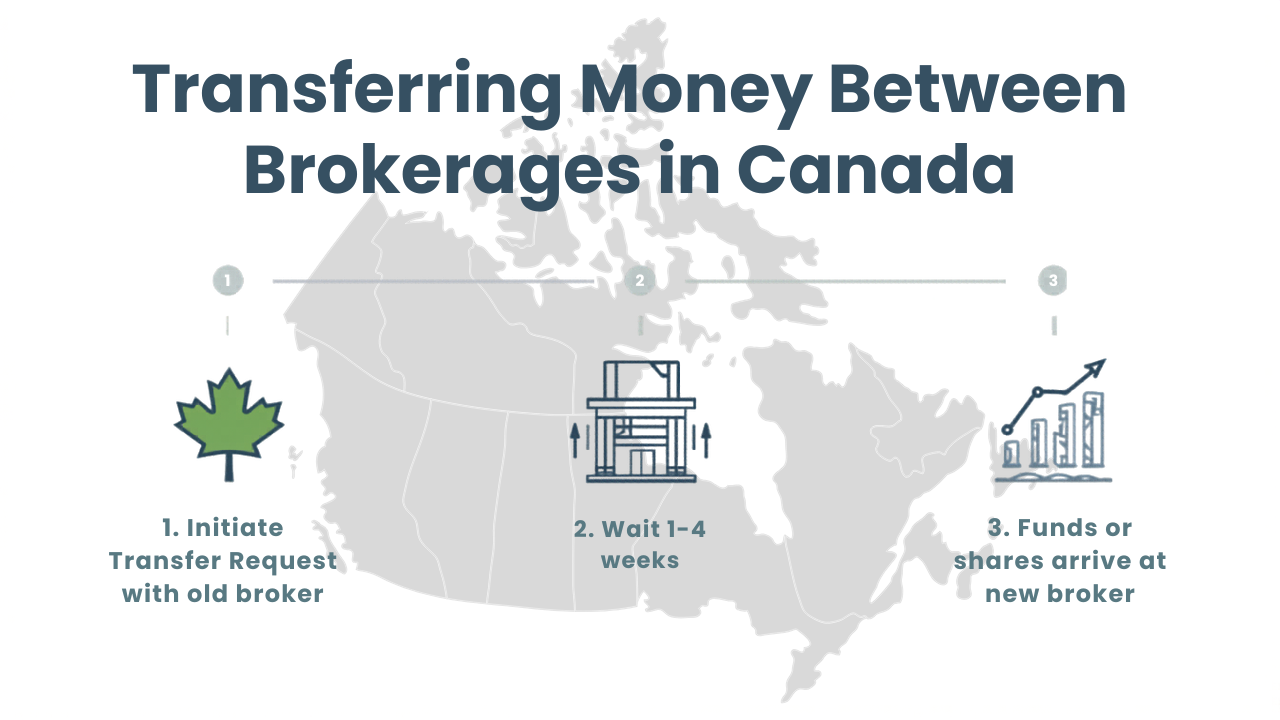
The standard account transfer process in Canada
Why Would You Transfer Brokers?
The most common reason is simple: you're overpaying. If you're at a Big Bank brokerage paying $9.95 per trade when Questrade, Wealthsimple, Qtrade, and NBDB all offer $0 commissions, every trade you place is money left on the table.
But commissions aren't the only reason people switch. Common triggers include:
FX costs. You're buying US stocks and your broker charges 1.5–2% on every conversion. Interactive Brokers converts at roughly 0.002% — a $300+ saving on every $20K conversion.
Missing account types. Your current broker doesn't offer an FHSA, or you need a LIRA or LIF they don't support.
Platform frustration. The app is clunky, the research tools are inadequate, or customer support is unresponsive.
Better promotions. Brokers periodically offer aggressive sign-up bonuses and transfer-fee rebates for new assets. See our sign-up bonuses page for what's currently available.
Whatever the reason, the mechanics of transferring are the same. And they're simpler than most people assume.
How Much Does It Cost to Transfer?
Every broker charges a transfer-out fee — except two. Here's what each of the ten major Canadian brokers charges when you leave AND a breakdown of which brokers offer transfer fee reimbursements on the other end.
Transfer-Out Fees by Broker
In-Kind vs. In-Cash: Which Transfer Type Should You Use?
This is the single most important decision in the transfer process, and getting it wrong has real financial consequences.
In-Kind Transfer (recommended for most people)
Your holdings — stocks, ETFs, bonds, whatever you own — move as-is from the old broker to the new one. Nothing is sold. Your shares of XEQT, VFV, or Shopify land in your new account exactly as they were. No taxable event in registered accounts, and no market timing risk from being out of the market during the transfer.
Use in-kind when:
You want to keep your current holdings
You're transferring registered accounts (TFSA, RRSP, FHSA) where selling could trigger complications
You don't want to be out of the market for 2–4 weeks
You hold individual stocks or ETFs (these transfer cleanly)
In-Cash Transfer
Your old broker sells everything, and the cash balance is sent to the new broker. You then repurchase your positions at the new institution.
Use in-cash when:
You hold proprietary mutual funds that can't transfer (e.g., bank-specific mutual funds not available at the receiving broker)
You want to restructure your portfolio anyway
The receiving broker doesn't support certain securities you hold
The tax trap: In a non-registered account, an in-cash transfer means selling all holdings — which triggers capital gains or losses in the current tax year. If you have large unrealized gains, this is an unpleasant surprise come tax time. In a TFSA, RRSP, or FHSA, there's no tax impact from selling within the account, but you're still exposed to market risk while the cash is in transit.
The mutual fund problem: If your old broker holds you in proprietary mutual funds (common at Big Banks), those funds often can't transfer in-kind because the new broker doesn't carry them. This forces an in-cash transfer. If those funds have deferred sales charges (DSCs), you may be hit with early redemption penalties on top of the transfer-out fee. Check with your old broker before initiating the transfer.
How the ATON Transfer System Works
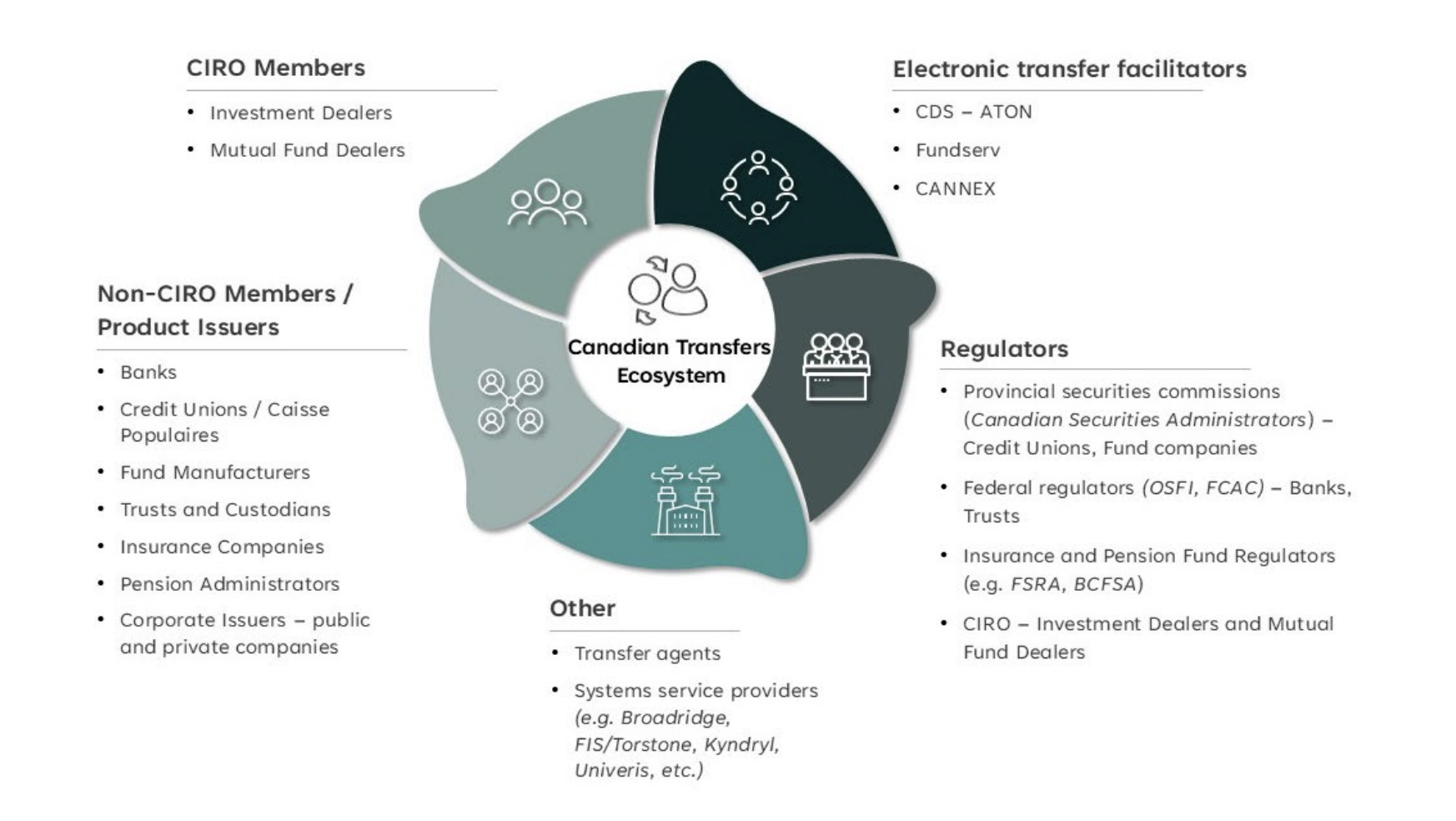
Behind the scenes, every brokerage-to-brokerage transfer in Canada runs through ATON (Automated Transfer of Non-certificated Assets), operated by CDS Clearing. All CIRO member firms are required to participate.
You don't need to understand ATON's mechanics, but knowing it exists helps set expectations:
You open an account at your new broker (if you haven't already). Match the account type — TFSA to TFSA, RRSP to RRSP.
You initiate the transfer from the new broker's side. You'll need your old account number and institution name. The new broker sends a Request for Transfer (RFT) through ATON to your old broker.
Your old broker processes the request. They return an asset list confirming what will be transferred. They do not need your permission or a phone call. They are required to process the transfer — they cannot refuse or stall it.
Securities and cash move through CDS/DTC. Canadian securities settle through CDSX; US securities through DTC. Investment funds route through FundSERV.
Assets appear in your new account. Cost basis information should transfer, but frequently arrives incomplete or delayed. Screenshot or download your cost basis from your old broker before initiating the transfer.
Step-by-Step: Transferring Your Account
Before You Start
Screenshot your cost basis. Download a holdings report or take screenshots of your adjusted cost base (ACB) for every position. Cost basis data is notorious for transferring poorly through ATON. You may need this for tax reporting later — especially in non-registered accounts.
Check for incompatible holdings. Proprietary mutual funds, GICs with maturity dates, and certain structured products may not transfer in-kind. Contact the receiving broker to confirm.
Pause any pending orders or pre-authorized contributions. Open orders may interfere with the transfer. Cancel any limit orders, stop orders, or scheduled deposits at the old broker.
Confirm account type compatibility. Make sure the receiving broker offers the same account type. If you have an RDSP, for example, only the Big Bank brokerages and a few others support it — Interactive Brokers does not.
Initiating the Transfer
At most brokers, you'll find the transfer request under account funding or account management:
Questrade: Funding → Transfer Account → follow prompts
Wealthsimple: Move or Transfer → Transfer from another institution → select account type
Interactive Brokers: Transfer & Pay → Transfer Positions → Inbound Position → ATON
Qtrade: Online application or contact support
You'll be asked for: the name of your old institution, your account number there, whether you want a full or partial transfer, and whether to transfer in-kind or in-cash.
Once submitted, the receiving broker handles everything. You do not need to contact your old broker. In fact, calling them to give notice often results in a retention pitch — skip it.
During the Transfer
Timeline: Expect 7–20 business days for a standard ATON transfer. Bank-to-independent-broker transfers tend to sit at the longer end. Wealthsimple-to-Questrade or similar independent-to-independent moves are often faster.
Your assets may be frozen. You typically cannot trade in the old account once the transfer is initiated. Plan accordingly — don't start a transfer the week before an earnings report you care about.
Partial transfers are possible. You can move just your TFSA while leaving your RRSP, or transfer select holdings rather than the entire account. Partial transfers may incur a lower fee at some brokers ($25 at Questrade vs. $150 for a full transfer).
After the Transfer
Verify your holdings. Confirm every position transferred correctly — same number of shares, same securities.
Check your cost basis. Compare what the new broker shows against your pre-transfer screenshots. Report discrepancies immediately.
Claim your fee rebate. If the receiving broker offers a transfer-fee rebate, upload or submit a copy of your old broker's statement showing the transfer-out charge. At Questrade, this is typically processed within 7–10 business days.
Update any pre-authorized contributions to point to your new account.
Cancel your old account (if empty) to avoid inactivity fees.
The TFSA/RRSP Transfer Trap: Don't Withdraw and Redeposit
This is the most expensive mistake you can make, and it's surprisingly common.
If you want to move your TFSA from Broker A to Broker B, you must do a direct trustee-to-trustee transfer (the ATON process described above). This preserves your contribution room. The money moves between registered accounts without the CRA considering it a withdrawal.
What happens if you withdraw from your old TFSA and redeposit at the new broker instead? The CRA treats the withdrawal as a deregistration. Your contribution room is not restored until January 1 of the following year. If you redeposit the same money in the same calendar year, you've created an over-contribution, which triggers a 1% per month penalty tax on the excess amount until it's resolved.
The same logic applies to RRSPs, with worse consequences. Withdrawing from an RRSP triggers immediate withholding tax (10–30% depending on the amount) and the withdrawn amount is added to your taxable income for the year. Your RRSP contribution room is permanently lost — you cannot re-contribute the withdrawn amount.
The rule is simple: always use a direct transfer. Never withdraw and redeposit.
How Long Does a Transfer Take?
Transfer times vary by institution and account type. The bottleneck is almost always on the delivering (old) broker's side. The receiving broker sends the request quickly; the old broker processes it on their own timeline. Big Bank brokerages are consistently slower than independents. If your transfer is taking longer than 20 business days, contact the receiving broker — they can escalate the ATON request.
What Can't Be Transferred?
Not everything moves cleanly through ATON. Common exceptions include:
Proprietary mutual funds — if the receiving broker doesn't carry the fund, it can't transfer in-kind. It must be sold first (in-cash transfer) or excluded.
GICs with active terms — most GICs cannot be transferred before maturity. You may need to wait or accept an early redemption penalty.
Crypto holdings — if you hold crypto at Wealthsimple (the only Canadian broker with direct crypto), this cannot be transferred through ATON. You'd need to sell, transfer the cash, and repurchase if the new broker supports crypto (unlikely).
Options positions — some brokers can transfer options contracts in-kind, but it's inconsistent. Confirm with the receiving broker first.
Fractional shares — these generally cannot be transferred in-kind. They're liquidated to cash during the transfer. If you hold fractional positions at Wealthsimple, expect those to be sold and the proceeds transferred.
Where Should You Transfer To?
That depends on why you're leaving. Here's how we'd match the most common switching scenarios.
Leaving a Big Bank for lower fees → Questrade
$0 commissions, free transfer-fee rebate with no minimum, 12 of 13 account types supported, established Norbert's Gambit support, and a platform that's capable without being overwhelming. Questrade is the path of least resistance for most Big Bank defectors. Full Questrade review →
Want the simplest possible experience → Wealthsimple
The fastest onboarding in Canada (under 10 minutes), the cleanest app, $0 commissions, and full fractional share support. The $25K minimum for transfer-fee reimbursement is the main drawback for smaller accounts. Best for beginners or anyone who values design and simplicity above advanced tools. Full Wealthsimple review →
Optimizing for lowest total cost → Interactive Brokers
$0 transfer-out fee (if you leave later), industry-best FX rates, lowest margin rates in Canada. The trade-off: IBKR doesn't reimburse transfer-in fees (since they don't charge them themselves), the platform has a steep learning curve, and registered account coverage is narrower (no RESP, LIRA, LIF, RDSP). Best for active traders and large USD investors. Full IBKR review →
For a full side-by-side comparison of all Canadian brokers, see our comparison table. Not sure which broker fits? Start with our guide on how to choose a Canadian online broker.
The Bottom Line
Transferring your brokerage account is less painful than it sounds. The receiving broker does most of the work, the process is standardized through ATON, and the transfer-out fee is almost always reimbursed by whoever you're moving to.
The real cost of not transferring is what should concern you. If you're paying $9.95 per trade at a Big Bank and making 20 trades a year, that's $200 annually in pure commission drag — money that compounds against you for decades. Add in higher FX spreads, account maintenance fees, and inferior platform tools, and the lifetime cost of inertia is measured in thousands of dollars.
Start the transfer from the receiving broker's side. Choose in-kind. Don't withdraw and redeposit. Screenshot your cost basis. Claim the fee rebate. The whole thing is one afternoon of paperwork for years of better investing.
Check the latest sign-up bonuses before opening your account — several brokers offer cash bonuses or transfer-fee rebates that stack with the standard reimbursement.
Broker Guide Canada may earn a commission through affiliate links. This does not influence our editorial rankings. See our full disclosure.
